Enabling web-audio in Chrome
I hadn't realized that Chrome has a whole bunch of invisible experimental settings that you can turn on just by going to "about:flags".
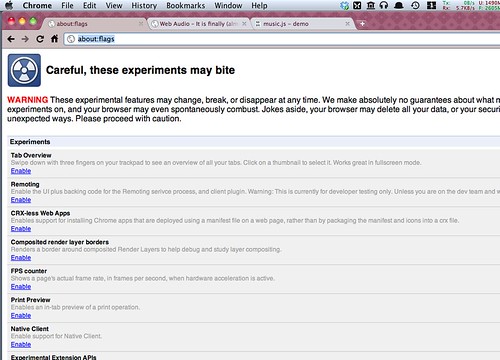
Some of these settings open up the musical capabilities of HTML5, which are quite impressive. For example, once you switch on the 'web-audio' setting in Chrome and use a suitable musical library, you can play a note just by issuing these JavaScript commands:
var n = Note.fromLatin('A4');

var freq = n.frequency(); // returns 440
var name = n.latin(); // returns "A"
var octave = n.octave(); // returns 4
The full example (with sound, if you've turned on the Web Audio setting as mentioned above) can be seen here: musicjs demo.
This is just the beginning of what's possible with the Web Audio API. The API provides low-level control over audio processing and synthesis, enabling sophisticated audio applications to run directly in the browser without plugins. This opens up exciting possibilities for music creation, audio games, and interactive sound experiences on the web.
More information about web audio and related technologies can be found in this blog post: http://pixelist.info/web-audio-it-is-finally-almost-here/